RaiseRight Fundraising
Fundraising doesn’t have to mean extra spending or extra work. With RaiseRight, your everyday purchases can earn money for your student and Northern Boosters, making every dollar go further.
What if your next grocery run could reduce the cost of your child’s activity costs? Every time you shop, dine, or book travel through RaiseRight, your spending earns money back. Less out of pocket, more peace of mind.
How it works:
- Shop, dine, or book travel through RaiseRight
- Funds are shared back to Northern Music Boosters at the beginning of each month.
- Northern Music Boosters shares 50% of your purchase back to your student account!
*Please note, some transactions may take a few days to get verified so they may not show in your account right away.
Click the Sign Up Here button to the right to set up your account and start earning money!
How do you earn?
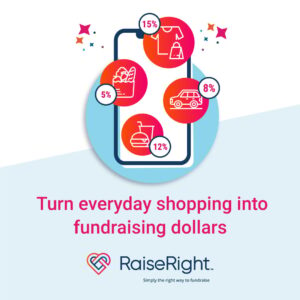
RaiseRight offers four ways to earn for Northern Music Boosters AND your student—all from spending you’re already doing.
- Gift cards: Buy eGift or physical gift cards for brands you already shop with and earn a percentage back with every purchase.
- Shop online: Shop your favorite brands’ websites and earn on every purchase.
- Local dining: Dine at participating restaurants to earn with every meal.
- Travel bookings: Book hotels, car rentals, or attractions through RaiseRight and earn while you plan your next trip.
Where do earnings come from?
Is RaiseRight too good to be true? You might wonder where the earnings come from—and that’s a fair question.
The brands on RaiseRight want to reach families and communities like ours, so in return, a small percentage of every purchase goes back to RaiseRight as earnings. They turn those earnings into cost savings for your family!
Getting Started
Getting started with RaiseRight is simple. Here’s how:
Step 1: Find your enrollment code
Northern Music Booster’s enrollment code is: LNL9276DQGNR
You can also click on the button above to sign up through our organization or click here.
Step 2: Create your account
Sign up at RaiseRight.com or in the mobile app using your enrollment code, then add a payment method.
Step 3: Start shopping
Buy gift cards, shop online, dine at participating restaurants, or book travel through RaiseRight.
We recommend taking advantage of the following resources:
- Log into your account and purchase through there
- Download the app and make purchases through the app
- Download the browser extension to automatically have offers pop up when you visit a site (available for Chrome, Edge, and Safari for iOS Mobile).
Step 4: Earn and save
A percentage of every purchase goes back to Northern Music Boosters. We then pass 50% of those earnings back to your student’s account, reducing what you pay out of pocket.
Contact May Gallagher or Missy Yost or to learn more and join our program.

Tips:
Download the app and browser extensions to make shopping through RaiseRight easier!
—————————————-
Buy eGift cards for places you already purchase from. They are available within minutes in your account to use.
—————————————-
Double up on earnings! Many retailers offer eGift cards AND earnings when purchasing on their site. Purchase an eGift card, then activate available earnings on their site to get double the savings!
Example Scenario:
1. Purchase an eGift card for Kohls through RaiseRight for the amount you are planning to spend there and earn 7% of that value.
2. Go to Kohls.com either through the app or online. Make your purchase and pay with the eGift card.
You earn 2% by shopping online at Kohls through RaiseRight AND you earned 7% by purchasing an eGift card!